

- 平台
- 交易平台
- MetaTrader 5 交易平台
- MetaTrader 5 交易平台 (安卓)
MetaTrader 5 交易平台 (安卓) - MT5 下载

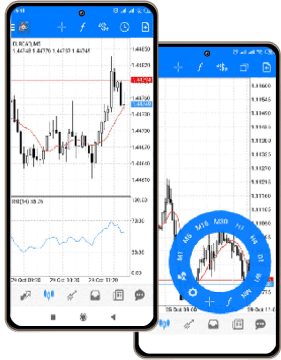
About MetaTrader 5 for Android
MetaTrader 5 for Android is a full-featured trading app that brings desktop-level functionality to your smartphone or tablet. Designed for flexibility and speed, the app lets you manage your trading account, place and close orders, and analyze price action in real time—anytime, anywhere.
With support for all major order types
- market,
- limit,
- stop,
- trailing stop
Also 21 chart timeframes, and dozens of technical indicators, the app offers the same analytical power as the desktop version—optimized for Android devices. You can trade directly from charts, set alerts, and manage your open positions quickly using a clean and responsive interface.
The MT5 Android app syncs with your desktop account and supports secure login, push notifications, real-time news updates, and multi-language support. You can also access your full trade history, review account balance and margin levels, and stay informed even when you're away from your main trading setup.
Interesting fact:MT5 for Android supports .APK installation directly from trusted sources, allowing traders in regions with restricted Google Play access to install and use the app securely.
With IFC Markets, MT5 for Mac gives you reliable access to trading 600+ instruments, all backed by stable execution and tight spreads. Whether you're analyzing price movements or placing fast trades, the macOS version is built to perform.
With IFC Markets, MetaTrader 5 for Android gives you access to 30000 trading instruments and professional-grade execution.
MetaTrader 5 Mac OS: Properties
- Complete technical analysis
- Reliability and safety
- Work with any number of open windows, with their settings and indicators
- Multilingual user friendly interface
- One click trading
- Viewing and sorting the history of completed transactions by various parameters
特点
- 交易账户的全面管理
- 随时随地的交易
- 所有的交易订单
- 支持多种智能手机和平板电脑
- Complete trading history
MT5 Android
MetaTrader 5 Android


连接交易服务器
登陆交易账户,您需要安装 MT5 Android版的交易平台, (需要连接网络),然后选择"用现有账户登录".
- 开立模拟账户或登录模拟账户, 选择服务器“IFCMarkets-Demo”.
- 登录真实账户, 选择服务器“IFCMarkets-Real”.
系统需求
- Android OS 2.1或高于2.1版本的智能手机和平板电脑
卸载软件
- 转到已安装应用列表
- 查找 MT5 Android 交易应用程序
- 点击应用
- 点击“删除”按钮。